inQuba

Dynamic Dialogues ideation exercise

Problem statement

The dialogue builder is challenging to use, even under ideal conditions. Our in-house CX Analyst frequently expresses frustration with the user interface and its awkward functionality. We need a new strategy to enhance this software feature.

Current scenario

Customer dialogues must follow distinct paths, but the current software struggles with establishing these connections.

Immediate assumption

As the design lead, I initially thought a node-based solution could be effective, as some competitors have successfully navigated complex dialogues this way. However, have we thoroughly investigated this approach before jumping to conclusions? Relying on assumptions can be risky and isn't considered best practice in UX.

My role

Competitor analysis • Brainstorming sessions with supporting wireframes • Validate hi-fi designs with stakeholders (in-house CX analysts & business)

Wireframes & documentation
Miro
Design
Adobe XD

Competitor analysis

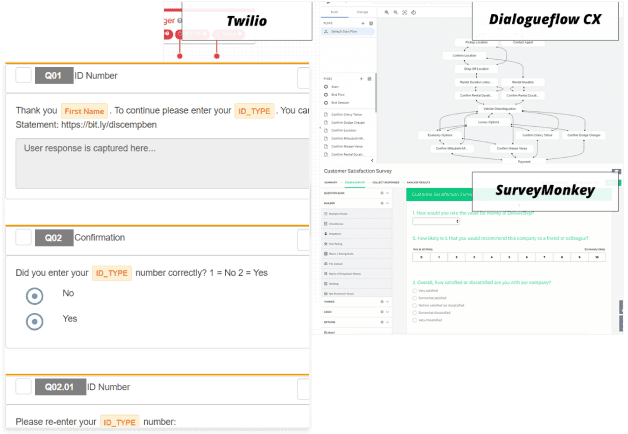
By gathering information on our competitors in this particular space (Twilio, Survey Monkey & DialogueFlow CX) I examined the strengths and weaknesses of each tool. Jotting down a rudimentary SWOT & technological analysis to reference when necessary.

Given our small team size, I approached this task with a light touch as my primary focus would be:

  • Ideation (brainstorming ideas)
  • Crafting designs at varying fidelity levels
  • Receive user feedback and iterate the process again
Competitor analysis
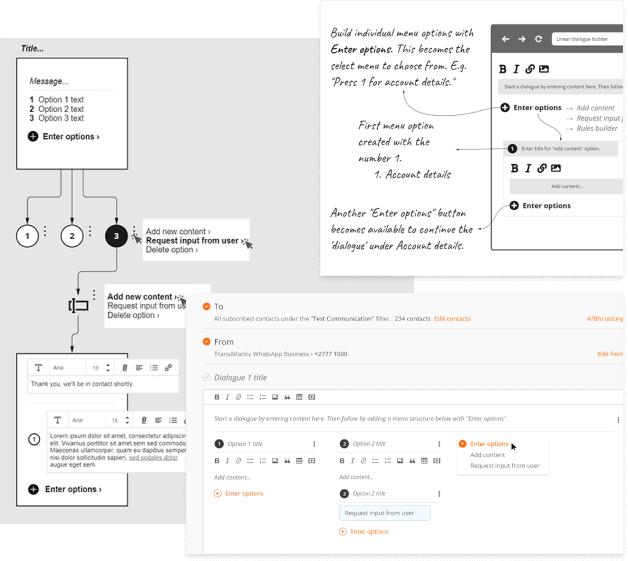
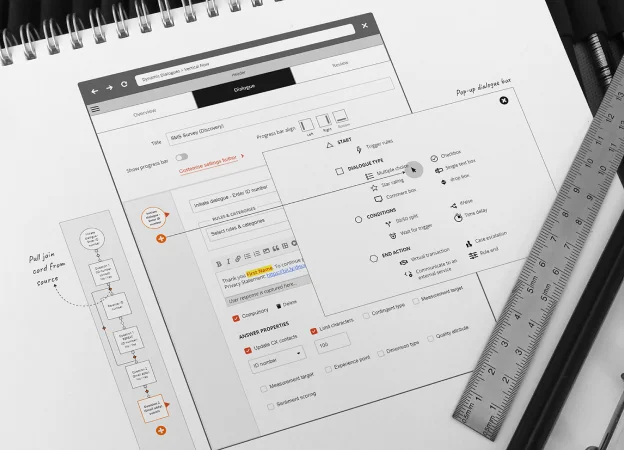
Wireframe sketches of dynamic dialogues

First 'design process' iteration

I started with the 'linear tree' first seeing it was a simple concept and easy to integrate onto inQuba's platform. See alongside.

Unfortunately initial feedback from stakeholders was lukewarm, nevertheless I pushed the conversation with a high fidelity interactive design in Adobe XD illustrating the concept, admitting it wasn't the best solution, but encouraging how this approach was a 'quick fix'.

Positive icon

Pros

  • Super simple by following the 'linear tree' pattern
  • Easy to learn
  • Works well on SMS
Negative icon

Cons

  • One size doesn't fit all
  • Lacks extended capabilities
  • Too simplistic

Second iteration did the trick

Now quite familiar with the ‘dialogue landscape’ I proposed a new idea that would fit seamlessly with inQuba’s platform. The drive here was to deep nest the conversation flows. It might mean having alot of accordions, but the solution made a good fit under the circumstances.

The jury (business) were out on this one, but I had a good feeling about this approach and started getting user feedback by testing the idea and sharing the high-fidelity interactive designs among users to trial this concept. It was a success!!

Positive icon

Pros

  • Works within the current software design model
  • Intuitive and easy to use
  • Handles complexity
Negative icon

Cons

  • Space could get claustrophobic, but manageable
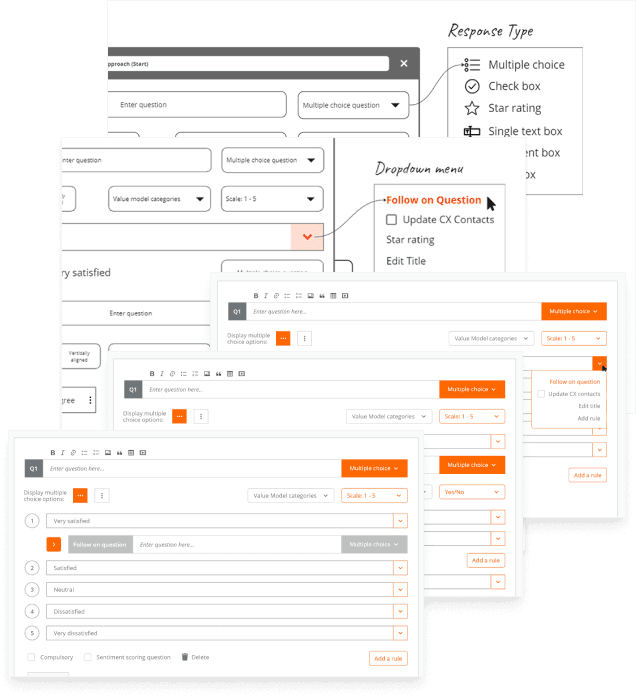
High fidelity design of dynamic dialogues
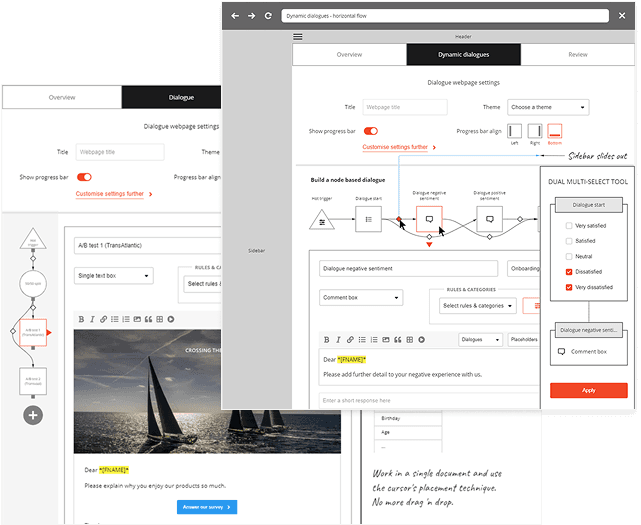
Extending capabilities wireframe sketches of dynamic dialogues

Extending its capabilities

To maintain momentum, Trent, the MD of the company encouraged further exploration, especially into the node based capabilities that top competitors achieved. Although this avenue didn't reach its full potential, it was still enjoyable to explore.

Positive icon

Pros

  • Excellent feedback based on wireframes
  • Able to manage endless possibilities
  • Ideal solution (theoretically)
Negative icon

Cons

  • Beyond the scope of what's achievable from a development perspective

text more like this